The fastest way to check your Nol card balance is the nol Pay app — link your card once, and your balance shows on the home screen. You can also check via the RTA website, SMS, station vending machines, or partner stores. You’ll need a minimum AED 7.50 balance to travel.
Quick Comparison: Ways to Check Your Nol Balance
| Method | Difficulty | What You Need |
|---|---|---|
| nol Pay app | Easiest | Card linked once via NFC or Tag ID |
| RTA Website | Easy | Nol Tag ID (back of card) |
| SMS | Easy | Registered mobile number |
| Vending Machine | Easy | Physical card |
| Merchant Shop | Easiest (no self-service) | Physical card, ask cashier |
1. Check Your Nol Balance via the nol Pay App
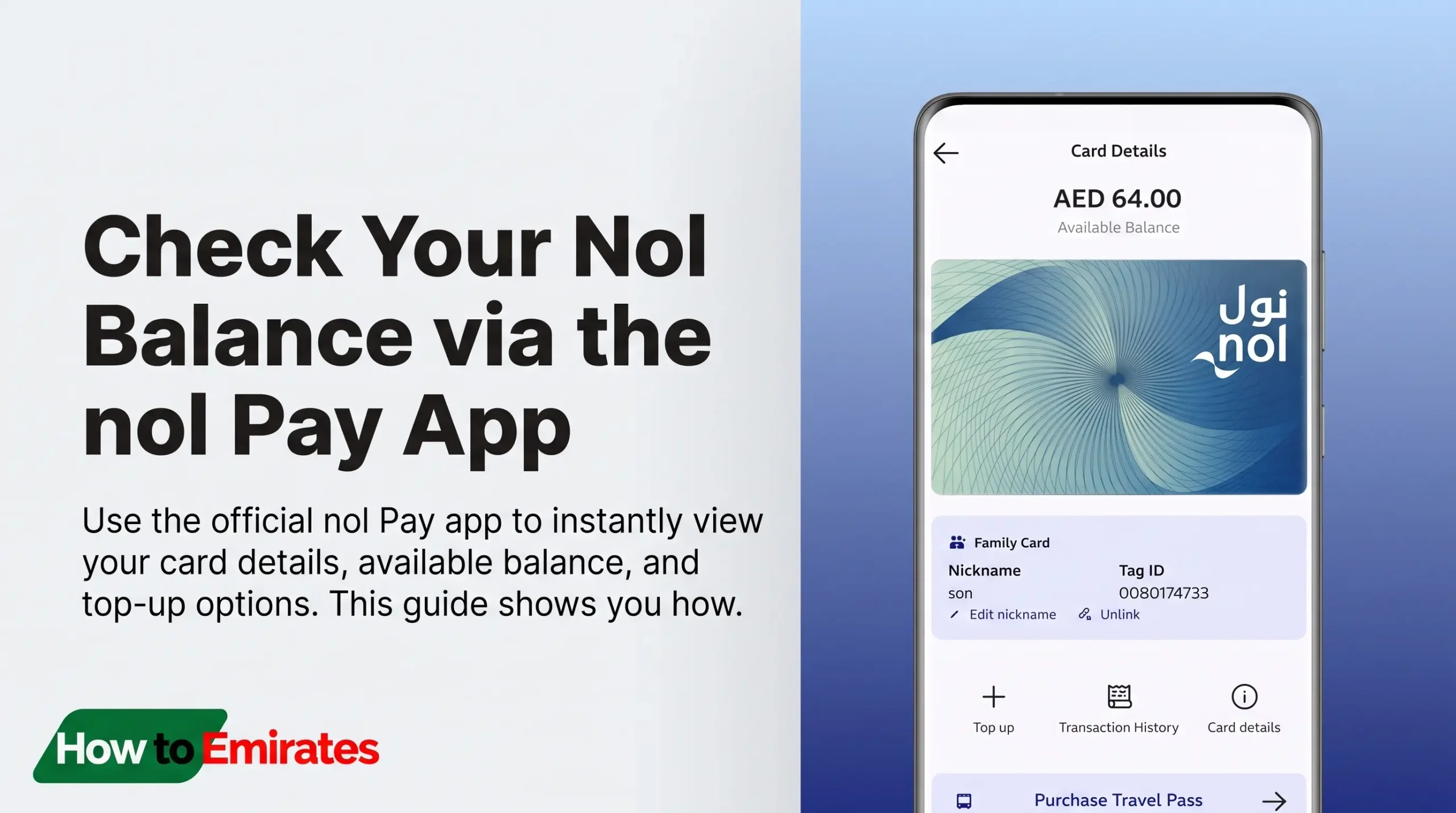
nol Pay is RTA’s own recommended self-service app for managing your Nol card, including balance, recharge, and refunds.
- Download nol Pay (App Store / Google Play).
- Open the app and select “Link a Card.”
- Hold your Nol card against your phone (NFC) or enter your Nol Tag ID.
- Your balance appears on the home screen immediately.
Linking a Nol card in the nol Pay app takes under a minute, and the balance updates on the home screen right away — no need to dig through the RTA website.
2. Check Your Nol Balance on the RTA Website
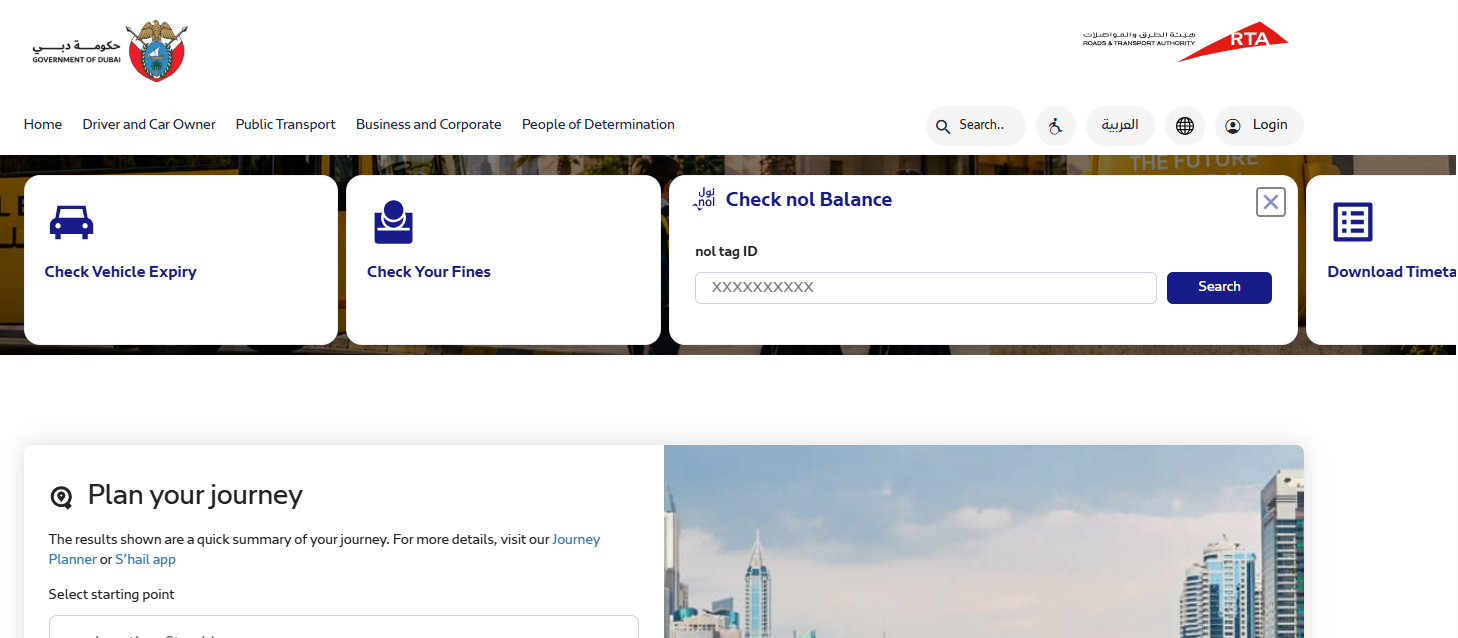
- Visit the RTA’s Nol balance checker (or the nol How portal as a direct alternate entry point).
- Select “Check Nol Balance.”
- Enter your Nol Tag ID (on the back of your card) and search.
- Your card details and balance appear.
3. Check Your Nol Balance via SMS
- Send an SMS with your Nol Tag ID to 511 to register your mobile number.
- Send “BAL” to 511.
- You’ll receive your balance by SMS.
Standard SMS charges apply from your mobile operator.
4. Check Your Nol Balance at RTA Vending Machines
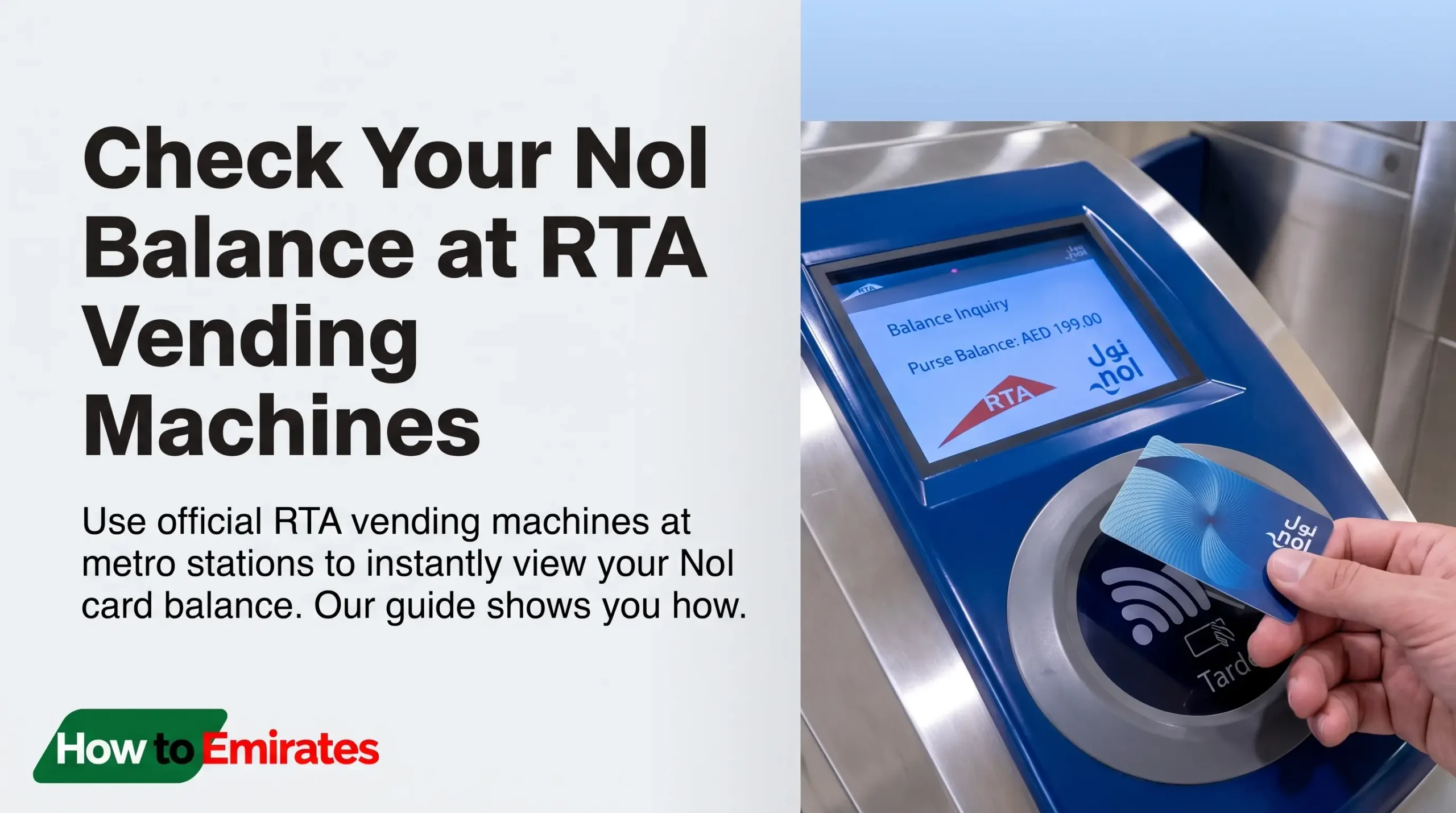
Insert your card at any metro or bus-station vending machine and select “Check Balance.”
5. Check Your Nol Balance at Merchant Shops
Nol cards are accepted — and checkable — at partner stores including Carrefour, Lulu, Aswaaq, Zoom, and Circle K. Ask the cashier to check your balance when paying, or see the full list of participating stores.
Minimum Nol Balance Requirement
You need a minimum of AED 7.50 on your Nol card to travel (RTA raised this from AED 1.80 back in August 2014). Fall below this and you won’t be able to check in at a gate or board — top up before you travel, not after.
Why Isn’t My Top-Up Showing Yet?
Online and app recharges aren’t always instant. RTA states it can take 45 minutes to 4 hours for a top-up to reflect on your card. If your balance still hasn’t updated after that window, double-check your payment went through on our Nol card recharge guide, then contact Nol support (below).
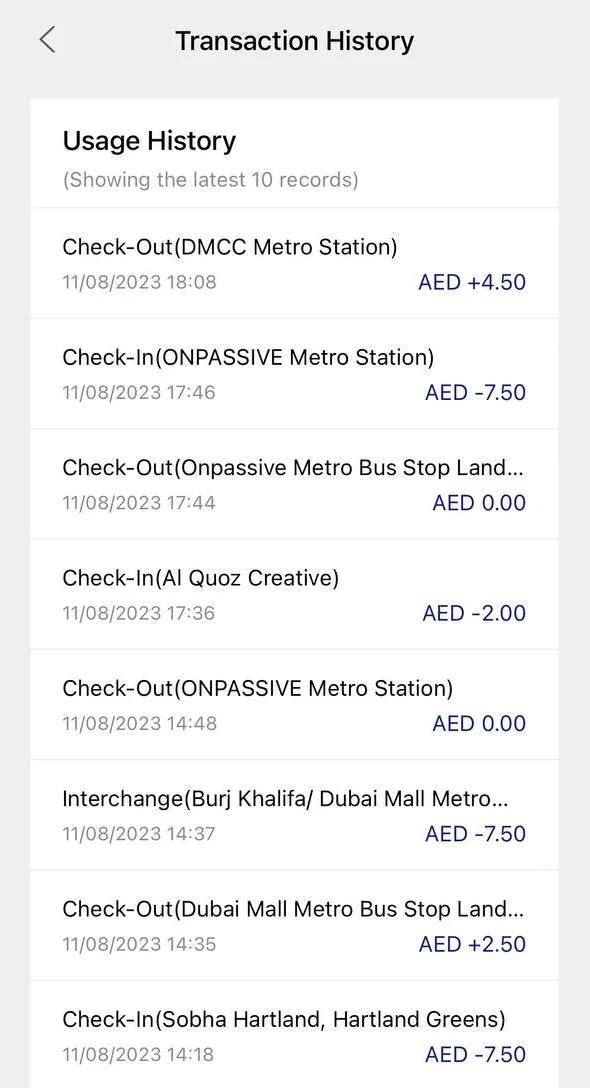
How to Check Your Nol Card Transaction History
- Go to the RTA website.
- Click “Public Transport” → “Nol Cards and Services” → “Nol Card Transaction History.”
- Enter your Nol Tag ID and click Next.
Nol Card Refund & Cancellation Fees
Cancelling your Nol card and cashing out the balance costs 2.5% of the balance or AED 5, whichever is higher. Balances of AED 100 or below can usually be refunded instantly in cash at a metro ticket machine; larger amounts go through RTA’s refund process (about 4 working days, collect within 30 days of approval). Transferring your balance to another Nol card, rather than cashing out, is free. Source: RTA’s official refund service page.
RTA Nol Customer Support
| Information | Details |
|---|---|
| Customer care phone | 800 90 90 |
| Overseas callers | +971 4 605 1414 |
| [email protected] |
FAQs
Does Nol balance expire?
No — your Nol balance doesn’t expire, even after the physical card itself expires.
My nol Pay app shows the wrong balance — what should I do?
The balance shown in the nol Pay app can lag behind your real balance for a moment, since digital Nol cards sync with RTA’s system periodically rather than instantly. Close and reopen the app, then tap your card at any metro gate or vending machine to force a sync. If it still looks wrong, verify your actual balance independently on the RTA website with your Nol Tag ID (see “Check Your Nol Balance on the RTA Website” above), or contact Nol support.
I lost my Nol card. What can I do?
Report it via the nol Pay app or RTA’s official channels to block it and start a replacement/refund. Contact Nol support if you need help.
Can I cancel my active Nol card?
Yes — cancelling and cashing out your balance costs 2.5% or AED 5, whichever is higher (see “Nol Card Refund & Cancellation Fees” above for the full process).
What’s the minimum balance I need?
AED 7.50 (see “Minimum Nol Balance Requirement” above).