Looking to check your LuLu Salary Card balance? The fastest way is the LuLu Money app, but you can also check it free at any UAE Switch ATM or by calling LuLu Exchange’s 24/7 customer care line. This guide covers all three, plus how to tell your LuLu Money Salary Card apart from a FAB Ratibi card if you’re not sure which one you have.
What Is the LuLu Salary Card?
The LuLu Salary Card is a prepaid payroll card issued by LuLu Exchange, used by employers in the UAE to pay salaries through the Wages Protection System (WPS). It runs on the Mercury/Mastercard network, so it works for contactless payments, online purchases, and withdrawals at UAE Switch-linked ATMs.
3 Ways to Check Your LuLu Salary Card Balance
- Via the LuLu Money app (fastest, free)
- At any UAE Switch ATM
- By visiting a LuLu Exchange branch or calling customer care
Method 1: Check Balance via the LuLu Money App
1. Download the App
Download and install the official LuLu Money app. It’s available on the App Store and Google Play.
2. Log In or Register
Open the app and log in to your LuLu Money account. If it’s your first time, register using a one-time PIN (OTP) sent to your registered mobile number.
3. Navigate to Your Salary Card
Select “LuLu Money Cards” from the home page, or find it under “My Cards” in the “More” menu, then tap your active salary card.
4. View Your Balance
Your real-time balance appears immediately, along with recent transactions and full transaction history. Checking your balance and downloading statements through the app is completely free.
Method 2: Check Balance at a UAE Switch ATM
Your LuLu Salary Card also works at any UAE Switch-network ATM, including Emirates NBD, Emirates Islamic, and Mashreq machines. Insert your card, enter your PIN, and select the balance inquiry option — the exact wording varies slightly by bank, so follow what’s shown on screen. Withdrawals and balance checks at network-partner ATMs are typically free; check with your specific ATM operator if a fee applies outside the network.
Method 3: Check Balance via Branch Visit or Customer Care
If you’d rather speak with someone directly, you have two options:
In-Person Branch Visit
Visit any of LuLu Exchange’s 80+ branches across the UAE — find your nearest one via the official branch locator. Bring your Emirates ID for identification, and staff can provide a free balance inquiry and mini-statement on the spot.
Phone Inquiry via Customer Care
Call LuLu Exchange’s verified 24/7 customer care line at 600 522 204. Have your Emirates ID details ready, since you’ll need to verify your identity before they share account information.
LuLu Money Salary Card vs. FAB Ratibi Card: Which One Do You Have?
LuLu Exchange offers two separate payroll card products, and it’s easy to confuse them since LuLu services both. The LuLu Money Salary Card is LuLu’s own proprietary card, checked through the LuLu Money app as described above. The FAB Ratibi Card is a First Abu Dhabi Bank product that LuLu Exchange helps distribute and service — it uses a completely different balance-check process through FAB’s own Magnati portal, not the LuLu Money app.
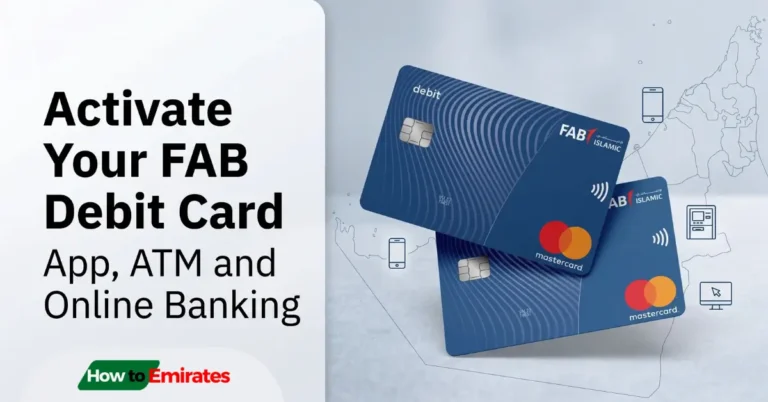
Check your card for a FAB logo — if it has one, you have a Ratibi card, and the LuLu Money app won’t show its balance. See our guide on checking your FAB Ratibi card balance instead.
If you’re comparing salary card options more broadly, Al Ansari Exchange offers a similar salary card program worth knowing about as well.
LuLu Exchange Customer Support
| Customer Care (24/7) | 600 522 204 |
| [email protected] | |
| Head Office | LuLu International Exchange, LLC, Level 9, Bayswater Tower, Burj Khalifa Community, Business Bay, P.O. Box 90164, Dubai, UAE |
Frequently Asked Questions
Is there a fee to check my LuLu salary card balance?
No. Checking your balance via the app, ATM (at network-partner machines), or by visiting a branch is free.
Can I check my balance by SMS?
No — LuLu Exchange doesn’t publish an official SMS balance-check command. If you’ve seen instructions online for texting a code to check your balance, that isn’t a confirmed LuLu Exchange feature; use the app or ATM instead.
How do I activate my LuLu Salary Card?
You can activate your card via OTP verification, an IVR (Interactive Voice Response) call, or by contacting customer care directly at 600 522 204.
Why does my FAB card not work on the LuLu Money app?
If your card has a FAB logo, it’s a Ratibi card, not a LuLu Money Salary Card — even though LuLu Exchange helps service it. Check its balance through FAB’s Magnati portal instead; see the comparison section above.