
Your Emirates ID Card can be downloaded as a digital copy in minutes, for free, through four official ICP channels.
This guide walks through all four — the UAE Pass app, the UAEICP app, the ICP web portal, and a temporary QR code — plus how to add your ID to Apple Wallet on an iPhone.
| Guide | Access Emirates ID Online |
|---|---|
| Method | UAE Pass App, UAEICP App, ICP Web Portal, QR Code |
| Official | UAE Pass, UAEICP and ICP Smart Services |
| Process time | 1 – 5 minutes |
| Fee | Free |
| Documents | UID, Emirates ID or Passport |
Why download a digital version of your Emirates ID?
You might have applied for your Emirates ID and be waiting on the physical card. Or your existing card might be lost, stolen, or damaged, and you need proof of ID right now.
For either situation, ICP provides several official apps and portals where you can pull up your Emirates ID as a digital copy or PDF — no service center visit required.
Below are all four methods, with the exact steps for each.
Compare the 4 Ways to Download Your Emirates ID
| Method | What You Need | Best For |
|---|---|---|
| UAE Pass App | Verified UAE Pass account | Fastest option if you already use UAE Pass for other government services |
| UAEICP App | UAE Pass login | Viewing/downloading as a PDF, plus Apple Wallet support |
| ICP Web Portal | UAE Pass login, browser | No smartphone app installed, working from a laptop |
| QR Code | Mobile number or passport details | Quick temporary verification, not a saved copy |
Method 1: Download via the UAE Pass App
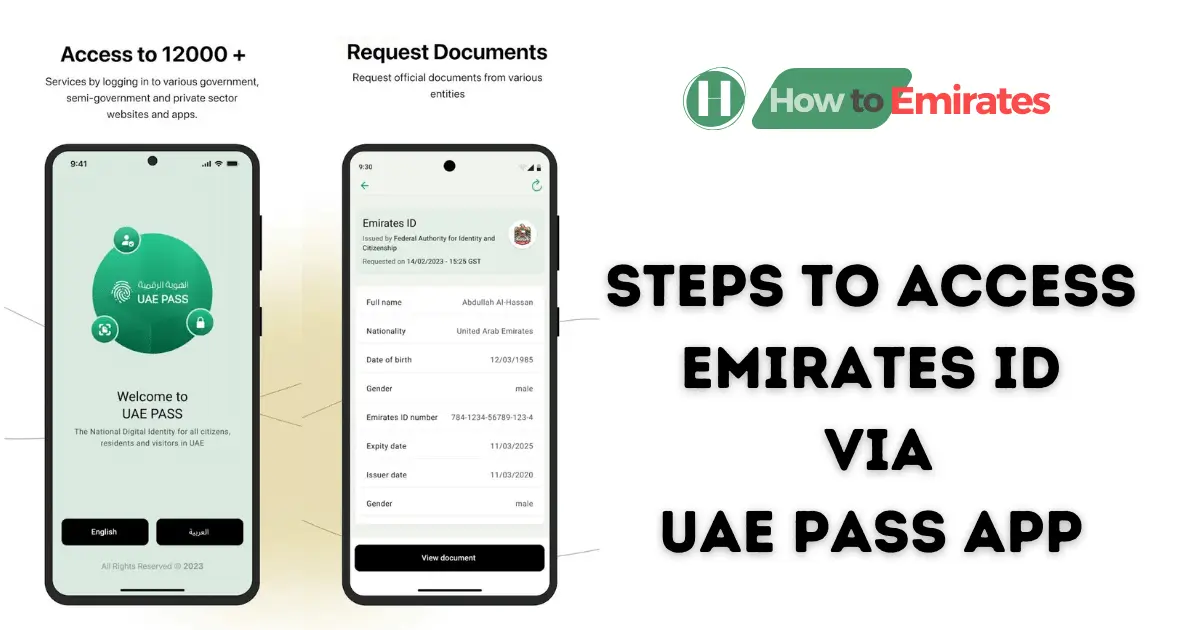
UAE Pass is available on Android and iOS. If you haven’t set it up yet, download the app, sign up with your email and Emirates ID number, then verify your account with facial recognition.
You need a verified UAE Pass account for this to work — a basic, unverified account won’t let you request government documents. Once you’re verified, follow these steps:
- Open the UAE Pass app on your device.
- On the home screen, go to Documents.
- Tap Add Documents, then select Federal Authority for Identity, Citizenship, Customs and Port Security.
- Choose Emirates ID Card and confirm the request. UAE Pass verifies you against your registered details.
- Your digital Emirates ID appears in the Documents section within a few minutes.
- Open it from Documents and download the PDF to your device.
If you applied for your Emirates ID recently, check your application status first. The digital copy only becomes available once your ID has actually been issued.
Method 2: Download from the UAEICP App
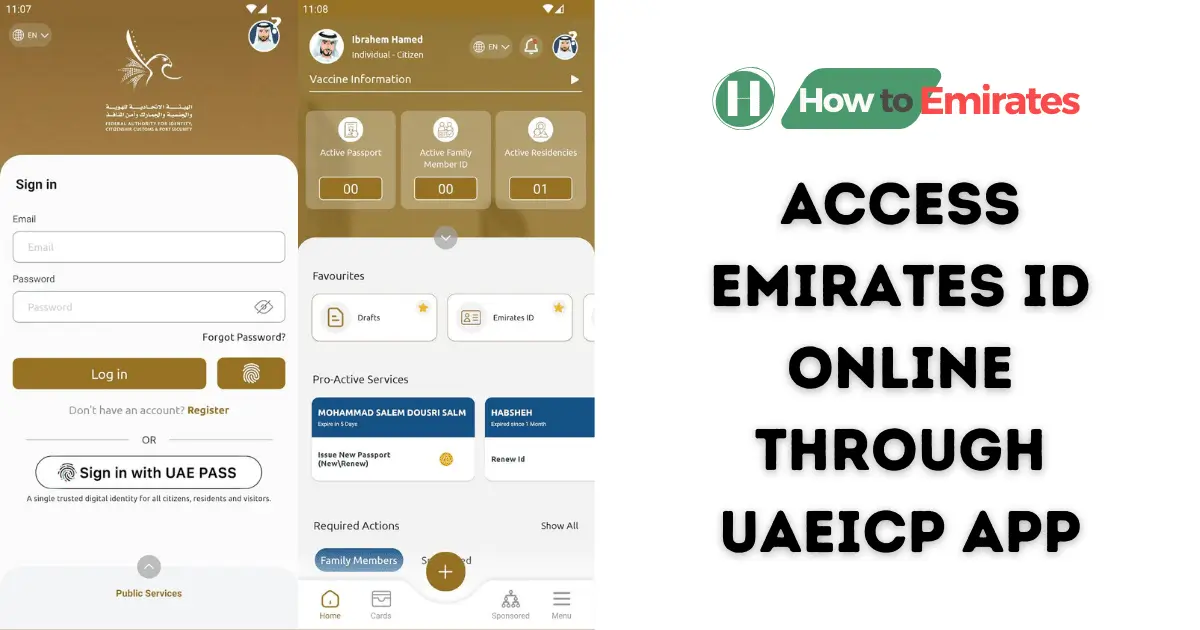
This app is available on both Android and iOS. In some regions it’s listed under the name “ICA UAE Smart” instead — it’s the same app.
Sign in with your UAE Pass account, which is the login method ICP currently promotes for the app. Then follow these steps:
- Open the app and log in with your UAE Pass account.
- On the dashboard, go to Favourite Services.
- Select Emirates ID.
- Tap your name, then the eye icon next to it.
- Your Emirates ID appears in a digital format.
- Tap download to save the PDF to your device.
Method 3: Download via the ICP Web Portal (No App Needed)
Prefer a browser over another app install? ICP’s smart-services website offers the same download without a mobile app.
- Go to the ICP Smart Services portal and sign in with your UAE Pass credentials.
- From your dashboard, open Services.
- Select ID Card Services, then Print Emirates ID / Download Digital Copy.
- Save the file as a PDF.
Method 4: Generate a Temporary QR Code
A QR code doesn’t give you a downloadable PDF. It’s a quick way to verify your identity on the spot, for services that accept it.
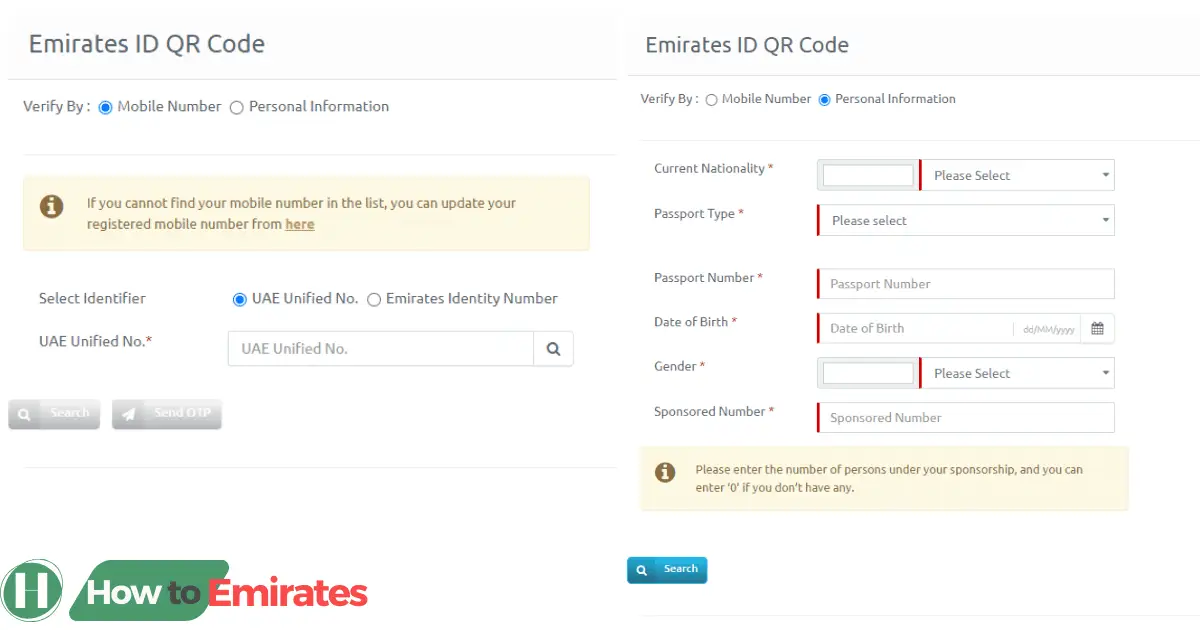
QR code generation for the Emirates ID now happens inside the UAEICP app rather than through a separate website.
- Open the UAEICP app and select Emirates ID QR Code from the home screen.
- Verify using either your registered mobile number (linked to your UAE Unified/UID number) or your passport details.
- Submit the requested information to generate a scannable code containing your ID details.
Add Your Emirates ID to Apple Wallet (iPhone Only)
If you have an iPhone, you can keep your Emirates ID in Apple Wallet alongside your boarding passes and cards.
- Download UAEICP from the App Store. This feature isn’t available on the Android version.
- Sign in with UAE Pass.
- Under Favourites, tap Emirates ID and select your ID.
- Tap Add to Apple Wallet.
If the “Add to Apple Wallet” button doesn’t appear, double-check your iPhone’s iOS Region setting under Settings → General → Language & Region. This is a commonly reported cause, though we couldn’t confirm it against an official ICP or Apple source, so treat it as a troubleshooting tip rather than a guaranteed fix.
There’s currently no confirmed Samsung Wallet or Google Wallet equivalent for Android users.
Is a Digital Emirates ID Legally Valid?
Yes. The Emirates ID Card itself — physical or digital — is governed by Federal Law No. 9 of 2006 on the Population Register and Identity Card, which requires citizens and residents to hold one.
In practice, government departments, banks, and telecom providers such as du and Etisalat widely accept the digital copy anywhere the physical card would be used, including while a replacement card is being issued.
FAQs
Can I download an Emirates ID card for free?
Yes. Every method above — UAE Pass, UAEICP, the ICP web portal, and the QR code — is free.
Can I use the PDF or app version instead of my physical Emirates ID?
Yes, for nearly all purposes. Government services, banking, and telecom providers accept the digital version, including while you’re waiting for a physical replacement card.
Do I need a UAE Pass account to use the UAEICP app?
Yes, for the login method ICP currently promotes. UAE Pass sign-in is the standard path for the app today.
Can I add my Emirates ID to Apple Wallet if I have an Android phone?
No. Apple Wallet integration through the UAEICP app is only available on iPhone. There’s no officially confirmed Samsung Wallet or Google Wallet equivalent yet.
What if my Emirates ID isn’t showing up in any of these apps?
This usually means your Emirates ID hasn’t finished processing, or your UAE Pass account isn’t fully verified. Check your application status first, and make sure your UAE Pass profile completed facial verification when you set it up.
Conclusion
The UAE Pass and UAEICP apps cover most people’s needs for downloading a digital Emirates ID. The ICP web portal is there if you’d rather use a browser, and the QR code works for quick verification without a full download.
All four are free and run directly through ICP. If your physical card needs renewing rather than just a digital copy, see our guide to renewing your Emirates ID.